Placement selection
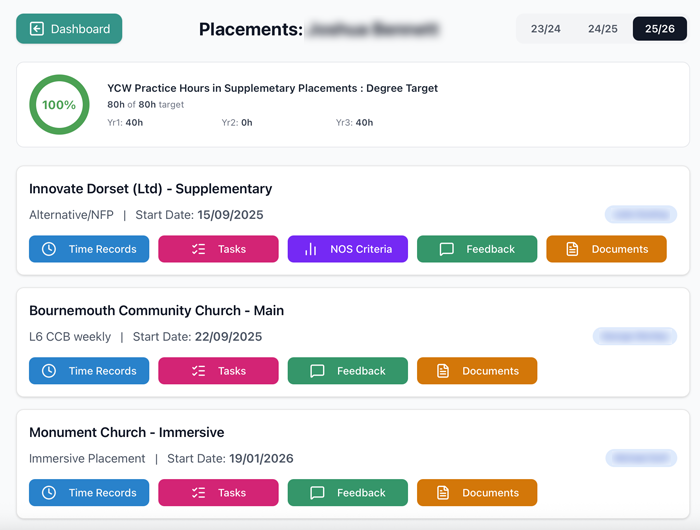
Once inside PRAXIS, you will be presented with a list of your active placements for the current academic year - with organisation, start date and supervisor (and selectors if you have any previous years). If you are a Youth and Community Work student you will additionally see a chart which tracks progress towards your 80 hours target.
On each there are buttons to enter or edit either your time-recording or the assigned tasks for the placement. Select a button to diplay the desired entry/edit components. For YCW students only there is a display of how you are performing on the NOS criteria in the Milestone tasks.
There are also buttons to display all the marker feedback for the year into a handy digest. And the final one, will direct you to the course instructions that are your first reference if you need information on what you are supposed to be doing.