v2.0.2 YCW elements

Version 2.0.2 student views with YCW-specific elements
Open/Closed toggle
To open (or then close any of the subsections) each of the coloured buttons will enter the stated section

NOS criteria
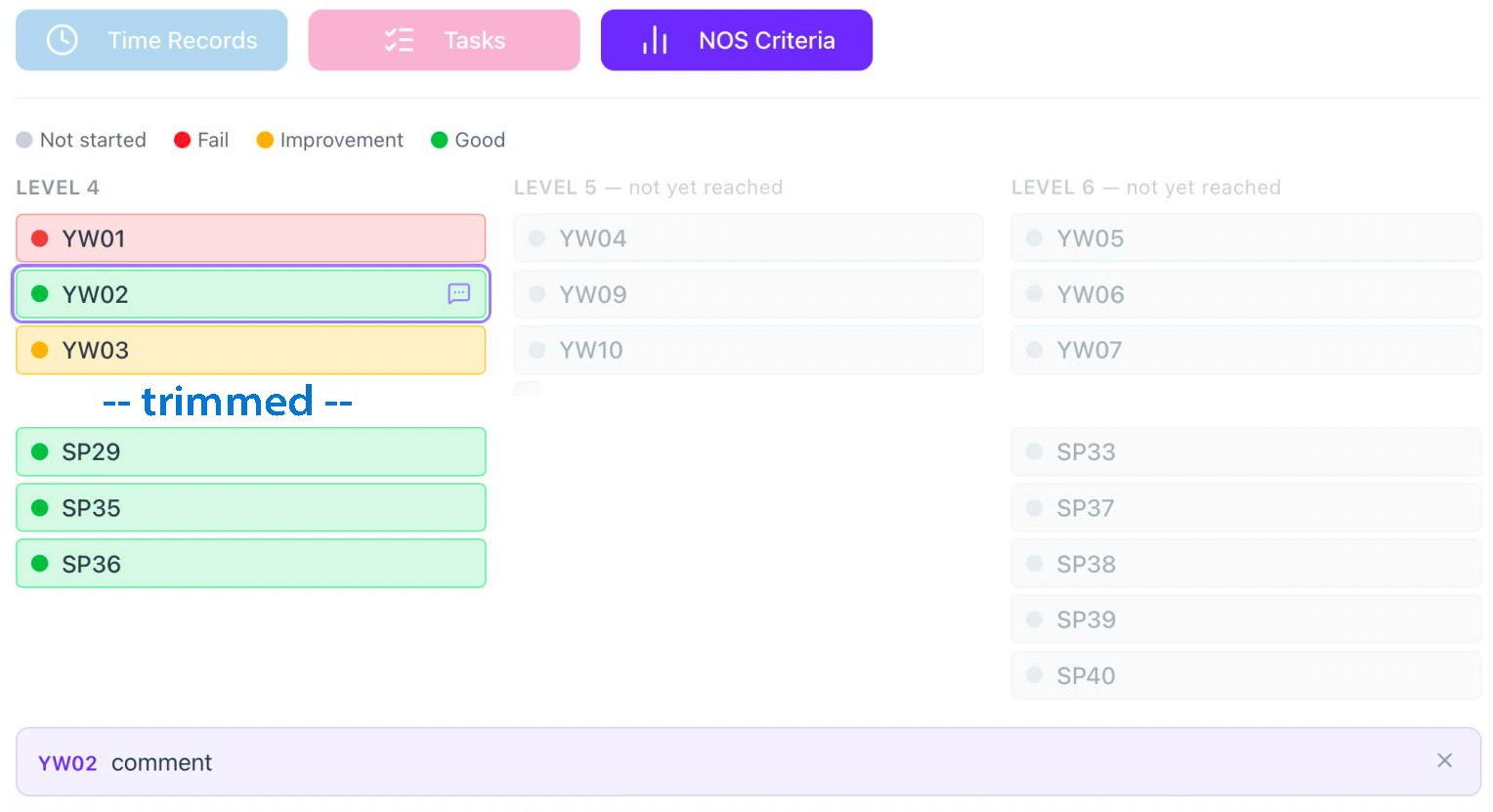
This section shows the progress meeting NOS criteria over the whole course duration. Each band will show the current score for that element, according to the key at the top. If there is a comment indicator icon, selecting it will highlight the row and put the comment into a common display area at the bottom of the list.
Time recording
see 2.0.7 for fuller details.
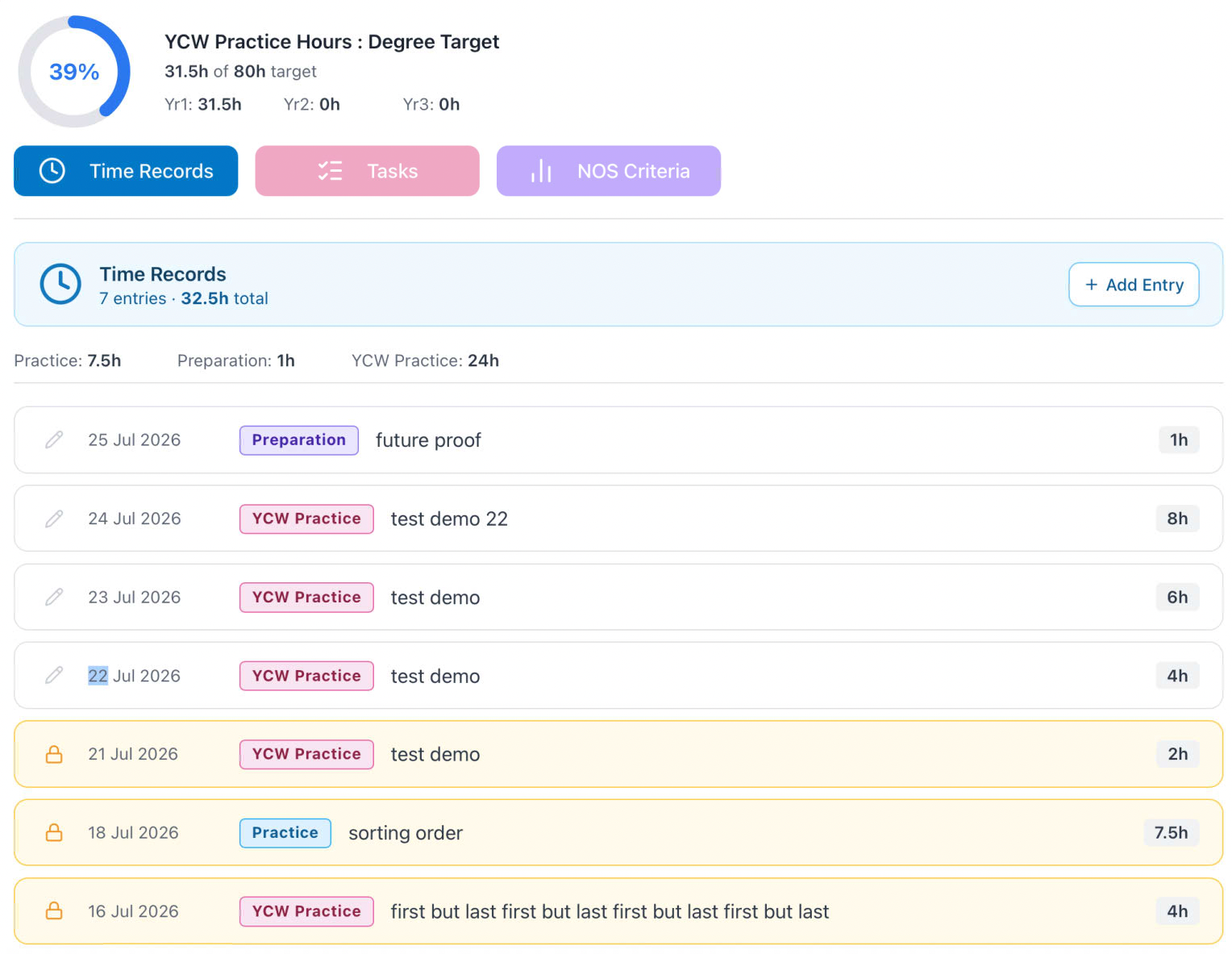
Time Records now reflect the three activity possibilties (2 for BAAT). Entries that are locked (by supervisor action with review and agreemnt). The pills show the activity type and the first 100 characters of the activity description are shown. Above the items are subtotals for each type and further above a grand total for the year.
For NOS students there is a higher display element, which shows the total hours towards those required for non-faith placement across all three years.
update this image
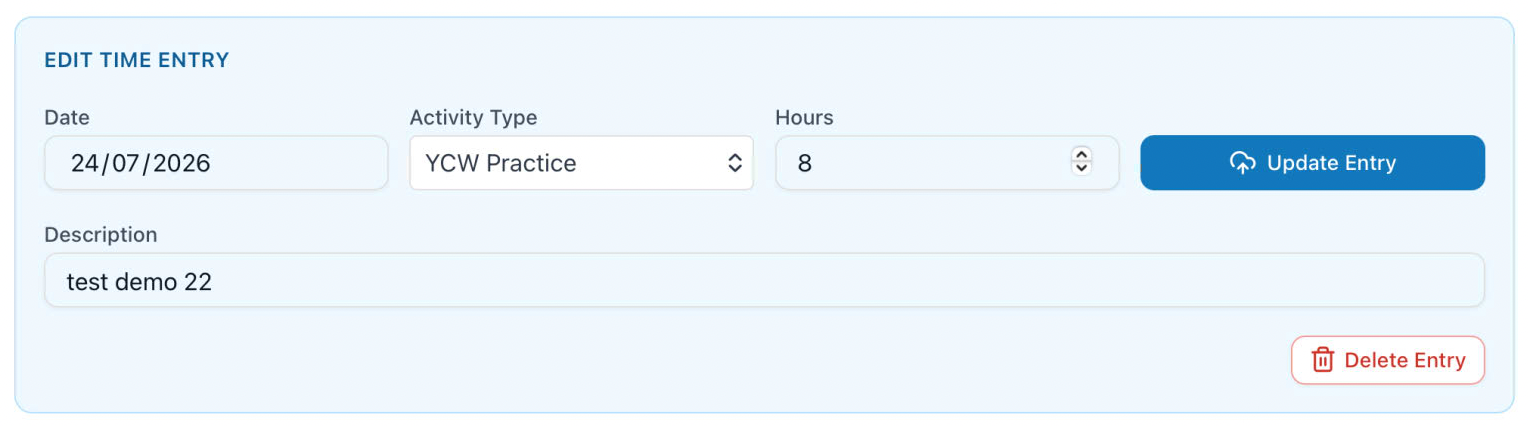
Any row that is not locked may be edited by using the pencil icon, which puts the item into the entry component, where you may edit any of the fields. This is only saved by using the Update Entry button. The item may also be deleted from here, using the Delete Entry button. You will need to confirm this, as it is a destructive action.
Student Tasks
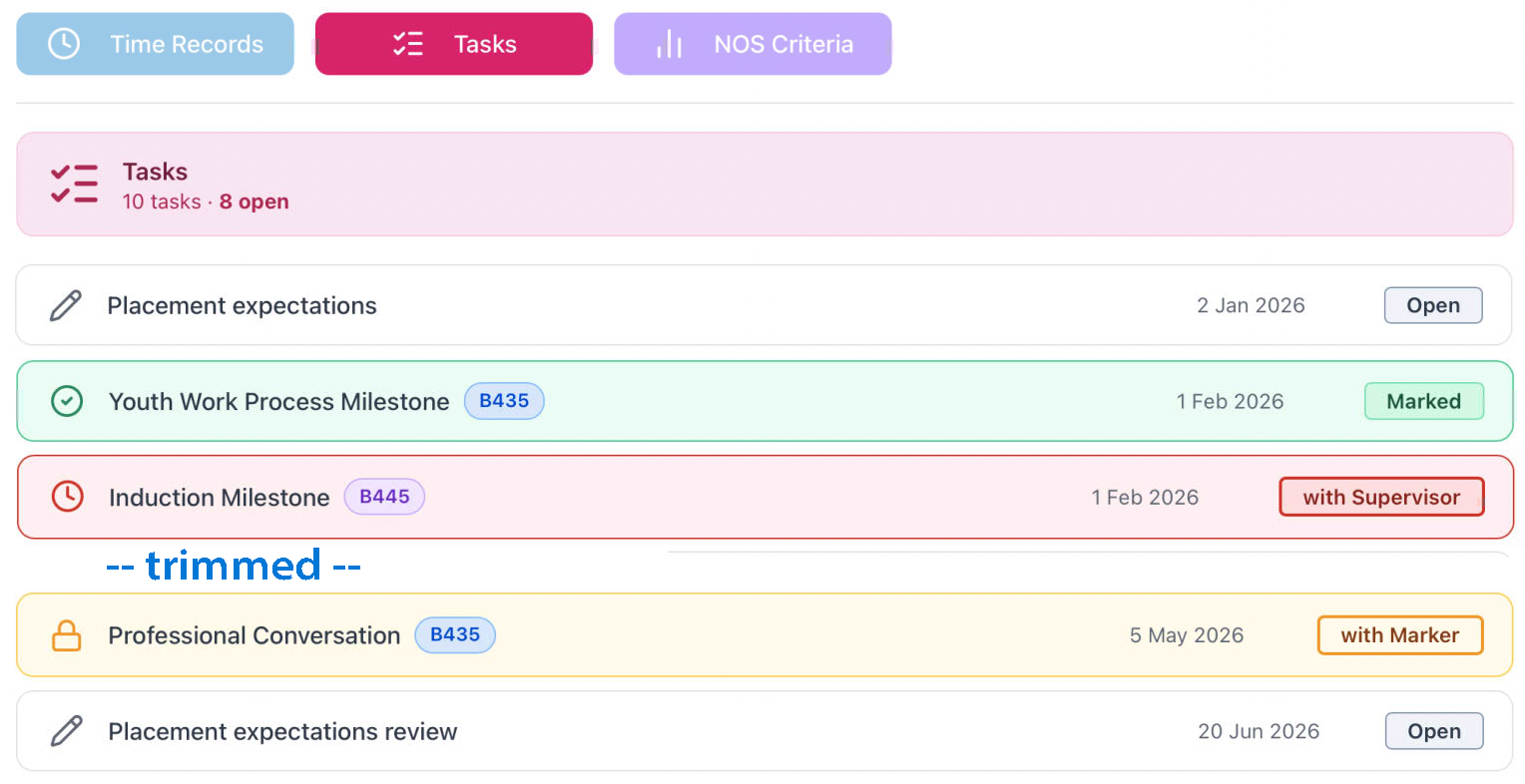
Student tasks show a header with total tasks for the year and the number still 'open'. Once submitted the record is then locked to edit by students. If the Task is still waiting for a Supervisor response, that is clearly indicated to you, in red, and once that has been completed but yet to be marked then it will be amber.
For NOS students, tasks may be assigned to one specific module and these are indicated on the row where this is relevant.
Colours/ lables /icons have been checked against WCAG 1.4.1 "don't rely on color alone" principles